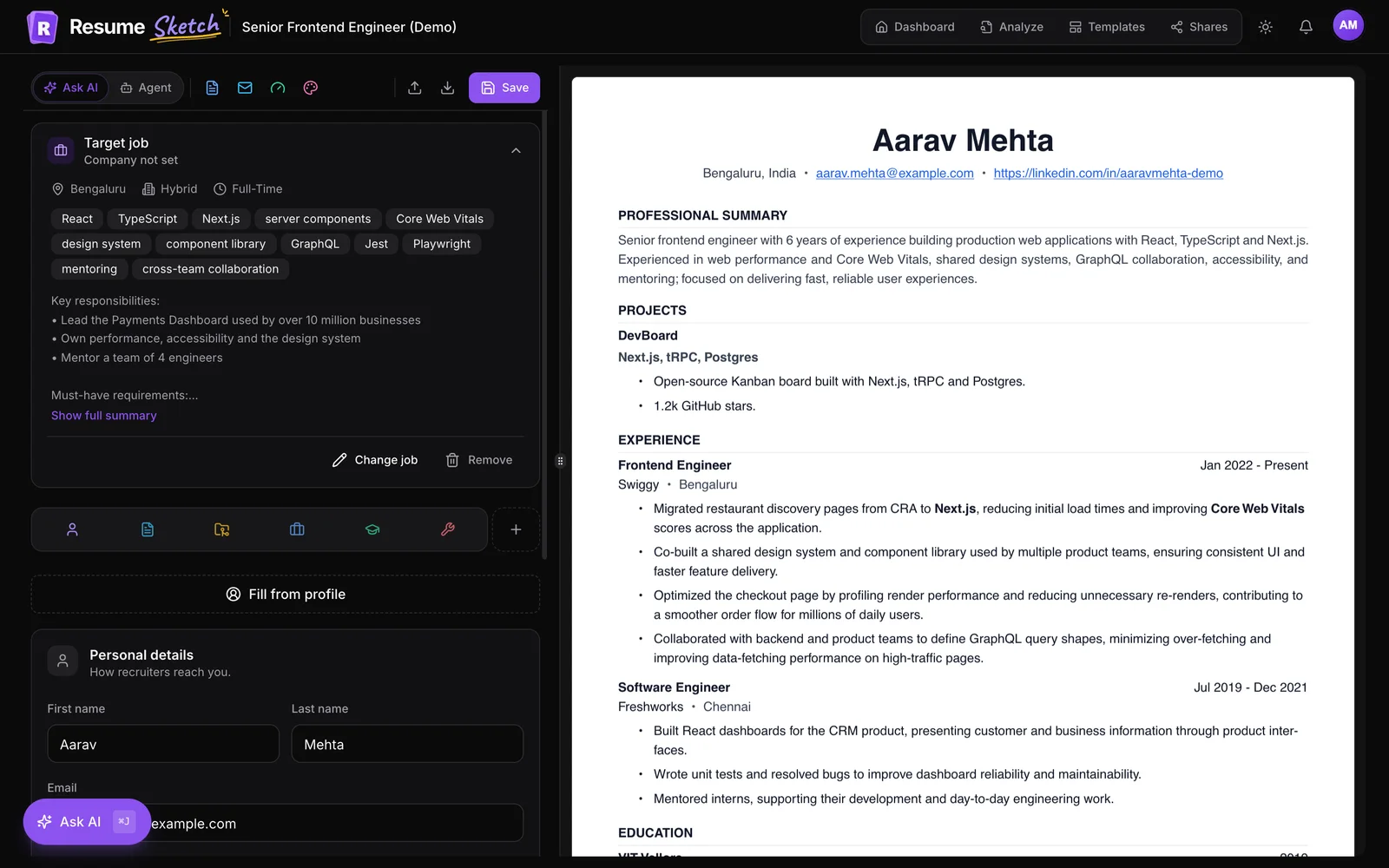
The short answer
A strong software engineer resume is a single-column document of one page (two for senior engineers) with experience, projects, grouped technical skills and education, plus working GitHub and portfolio links. Every bullet should say what you built, with what, and what changed because of it, using real numbers where you have them. New grads lead with projects and education; senior engineers lead with scope, technical decisions and the people they helped grow.
On this page
- 01The short answer
- 02What hiring teams actually look for
- 03The right structure and section order
- 04Write impact bullets, not job descriptions
- 05Projects and open source
- 06Group your skills section
- 07GitHub, portfolio and other links
- 08New grad vs senior: what changes
- 09The Software Engineer template and a fast workflow
- 10FAQ
01What hiring teams actually look for
A software engineering resume is usually read twice by different people. A recruiter or applicant tracking system checks the basics first: role match, relevant languages and frameworks, level, location and work authorisation. Then an engineer or hiring manager reads it with a sharper question: can this person do the work, and at what level?
That second reader is skeptical of buzzwords and looks for evidence: systems you shipped, problems you solved, trade-offs you made and results you can explain. Your resume has to satisfy both readers at once, which is why structure and specificity matter more than design.
- Relevance: does your stack and domain overlap with the role?
- Impact: did your work change something measurable for users, the business or the team?
- Ownership and level: did you implement tickets, own a feature, or lead a system?
- Signal you can verify: code, projects, write-ups or contributions they can click on.
02The right structure and section order
Keep the layout simple: one column, standard section headings, clear dates, no skill bars or graphics. The order should put your strongest evidence first.
| New grad or early career | Experienced (3+ years) |
|---|---|
| Header with links | Header with links |
| Education (degree, graduation date, relevant coursework if useful) | Summary (optional, 2 to 3 lines) |
| Experience (internships, part-time, research) | Experience |
| Projects | Projects or open source (if they add something) |
| Technical skills | Technical skills |
| Awards, hackathons, leadership (optional) | Education |
In the Resume Sketch editor, you can drag sections into any order and that order carries across every template, so you can try “projects before experience” and see the result in the live preview immediately.
03Write impact bullets, not job descriptions
The single biggest improvement most engineering resumes need is in the bullets. A useful pattern: action verb + what you built or changed + how (the key technology or approach) + the result. Not every bullet needs every part, but every bullet needs a result or a clear sense of scope.
Before
- Worked on the backend team using Java and Spring.
- Responsible for improving API performance.
- Helped migrate services to the cloud.
- Wrote unit tests and fixed bugs.
- Built features for the mobile app.
After
- Built the order-history service in Java and Spring Boot, now handling every customer order lookup across web and mobile.
- Cut p95 latency on the search API from about 900 ms to 250 ms by adding a Redis cache and rewriting two N+1 queries.
- Led the migration of 12 services from on-prem VMs to Kubernetes on AWS, with zero customer-facing downtime.
- Raised test coverage on the billing module from roughly 40% to 85% and added contract tests that caught three breaking changes before release.
- Shipped offline mode for the React Native app, the most requested feature in app store reviews that year.
The numbers above are illustrative. Yours should come from dashboards, incident reports, pull requests or your own notes, and you should be able to explain each one in an interview. Useful kinds of metric for engineers include:
- Performance: latency, throughput, load time, memory or CPU use.
- Reliability: error rates, incidents, uptime, time to recover.
- Cost: infrastructure spend, licence costs, compute saved.
- Scale: requests per second, users, records, services, regions.
- Delivery and developer experience: build times, deploy frequency, onboarding time, manual steps removed.
- Product outcomes: adoption, conversion, retention, support tickets reduced.
In the editor, the AI sparkle button beside each bullet opens Improve this point, with presets such as Stronger action verbs, Emphasise results and Match the job keywords. You get three rewrites to choose from, the facts and numbers you wrote stay as they are, and nothing changes until you pick one. Adding the real numbers is still your job.
04Projects and open source
Projects are essential for new grads, bootcampers and career changers, and still useful for experienced engineers when they show something your day job doesn't (a different stack, a domain you are moving into, or a well-used tool you maintain).
A good project entry reads like a mini work entry: what it is, what you built, the stack, and evidence that it works or is used.
Weak project entry
- Todo App: a todo app made with React.
- Used React, Node and MongoDB.
Strong project entry
- ShiftSwap: shift-trading app for hospital staff, built with Next.js, PostgreSQL and Stripe.
- Designed the conflict-checking logic that prevents double-booked shifts; used by two wards during a pilot.
- Live demo and repository linked; README covers architecture and setup.
For open source, name the project and be specific about what you contributed: “Added streaming support to the Python client of a popular HTTP library (merged)” says far more than “Open source contributor”. Link to the merged pull requests or your contributor profile.
In Resume Sketch, each project has fields for a Link, a Repository and Tools & skills, so templates can show the stack and clickable links consistently. The AI also uses those tools as context when it suggests bullets.
05Group your skills section
A flat list of 40 technologies is hard to read and looks unfocused. Group skills into a few categories, put the most relevant ones first, and only list things you would be comfortable being asked about.
| Category | Example (backend-leaning engineer) |
|---|---|
| Languages | Go, Python, TypeScript, SQL |
| Frameworks and libraries | gRPC, FastAPI, React, Node.js |
| Data and messaging | PostgreSQL, Redis, Kafka, BigQuery |
| Cloud and infrastructure | AWS (ECS, Lambda, S3), Kubernetes, Terraform, Docker |
| Practices and tools | CI/CD (GitHub Actions), observability (Prometheus, Grafana), testing |
- Mirror the job ad's naming. If the posting says “Amazon Web Services”, include “AWS” too, so both forms match.
- Skip proficiency bars and ratings. “Python: 4/5” means nothing to a reader and can confuse parsers.
- Drop the basics. Text editors, operating systems and “Microsoft Office” rarely add anything for an engineering role.
- Back up skills in your bullets. A skill that appears in an experience bullet is far more convincing than one that only appears in a list.
The skills form in the editor works this way by default: you create categories (Languages, Tools and so on), add skills to each, and drag them to reorder. For keyword strategy in more depth, see resume keywords that get you hired.
06GitHub, portfolio and other links
Links are where an engineering resume can do something other resumes can't: let the reader see the work. Put them in the header, keep them short and make sure they work.
- GitHub: include it if it shows real work. Pin your best repositories and give each a clear README. An empty or abandoned profile is better left off.
- Portfolio or personal site: especially valuable for frontend, mobile and full-stack engineers. Link live demos where you can.
- LinkedIn: standard in most markets; make sure titles and dates match your resume.
- Writing or talks: a technical blog post or conference talk is strong evidence for senior roles. Link one or two in a project or achievement bullet.
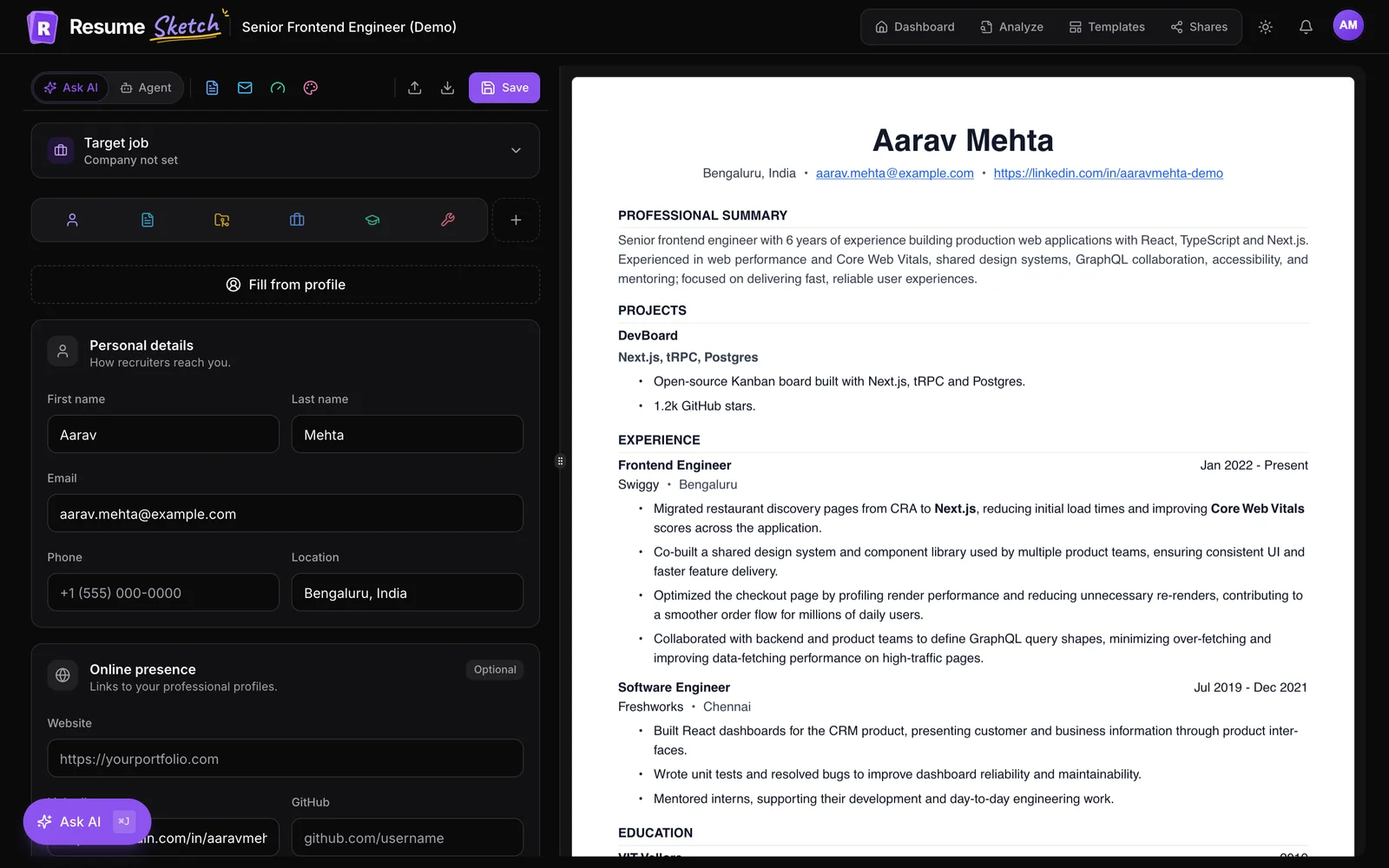
The personal details section of the editor has an Online presence card with Website, LinkedIn and GitHub fields, and templates such as Software Engineer render them as clickable links in the PDF.
07New grad vs senior: what changes
The fundamentals are the same at every level. What changes is the evidence the reader is looking for.
New grad and early career
- Education near the top, with graduation date.
- Internships, research and part-time roles count as experience.
- Two to four strong projects with links.
- Bullets show you can build, learn quickly and finish things.
- Hackathons, teaching assistant roles and clubs can fill gaps.
- One page.
Senior and staff
- Experience first; education moves to the bottom.
- Bullets show scope: systems owned, architecture decisions, cross-team work.
- Leadership without the title: mentoring, design reviews, hiring, incident command.
- Business outcomes alongside technical ones.
- Older roles condensed to one or two lines each.
- Up to two pages if the content earns it.
A useful test for senior bullets: would a staff engineer reading it know what you decided, not just what you did? “Chose event sourcing over CRUD for the ledger to support audit requirements; designed the migration path for existing data” shows judgement in a way “Worked on the ledger service” never can.
08The Software Engineer template and a fast workflow
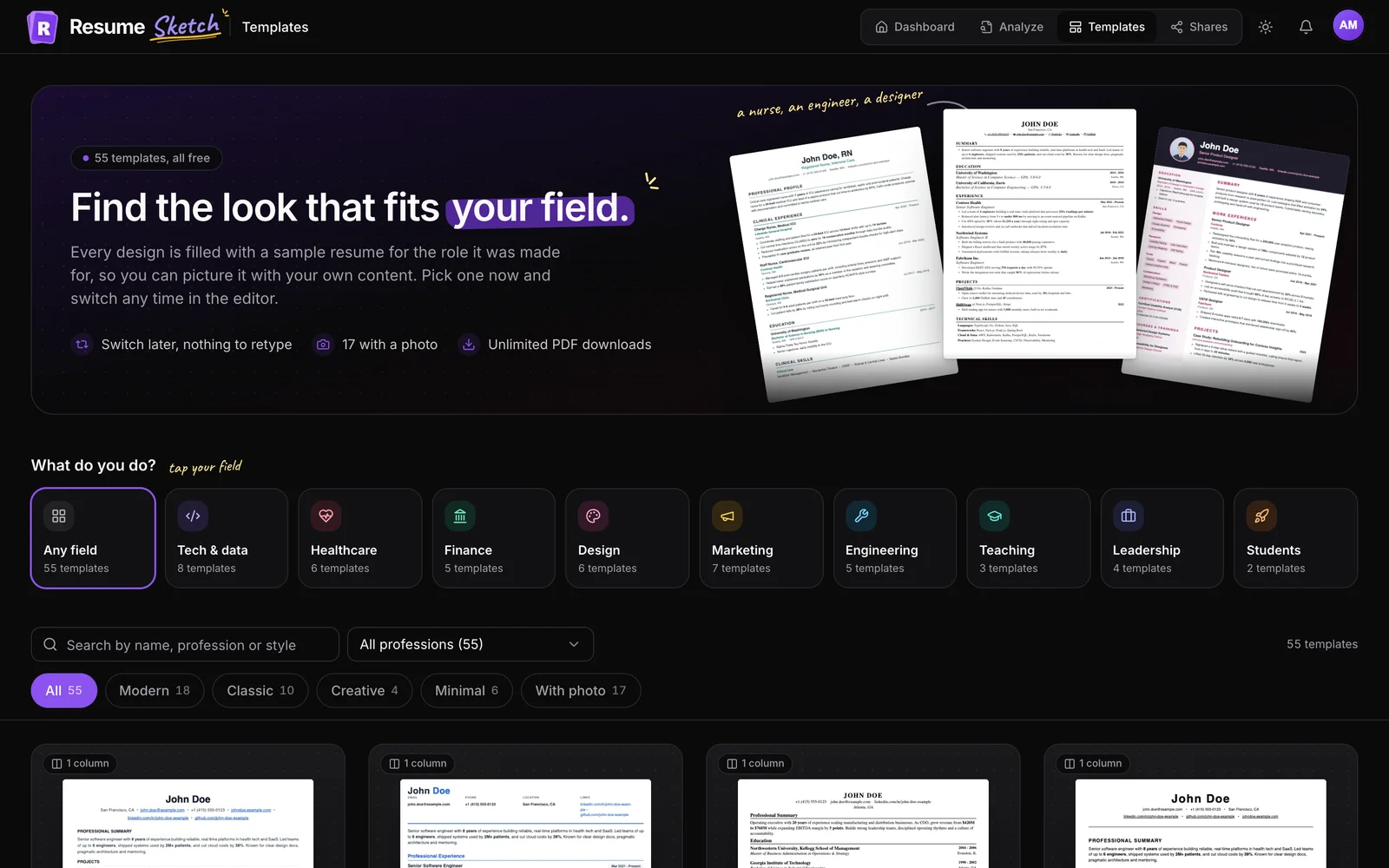
Resume Sketch includes a Software Engineer template modelled on the classic single-column LaTeX resume layout that many engineering candidates use. It has a serif body, compact spacing that fits a lot on one page, a Technical Skills heading, and icons beside your phone, email, LinkedIn and GitHub links. If you prefer something more modern, Tech Professional is another option, and Fresher Start puts education first for graduates.
- 1
Create the resume from your profile
Click Create resume on the dashboard, enter the role you are targeting (for example, “Backend Engineer”), and choose which roles, projects and skills to bring over.
- 2
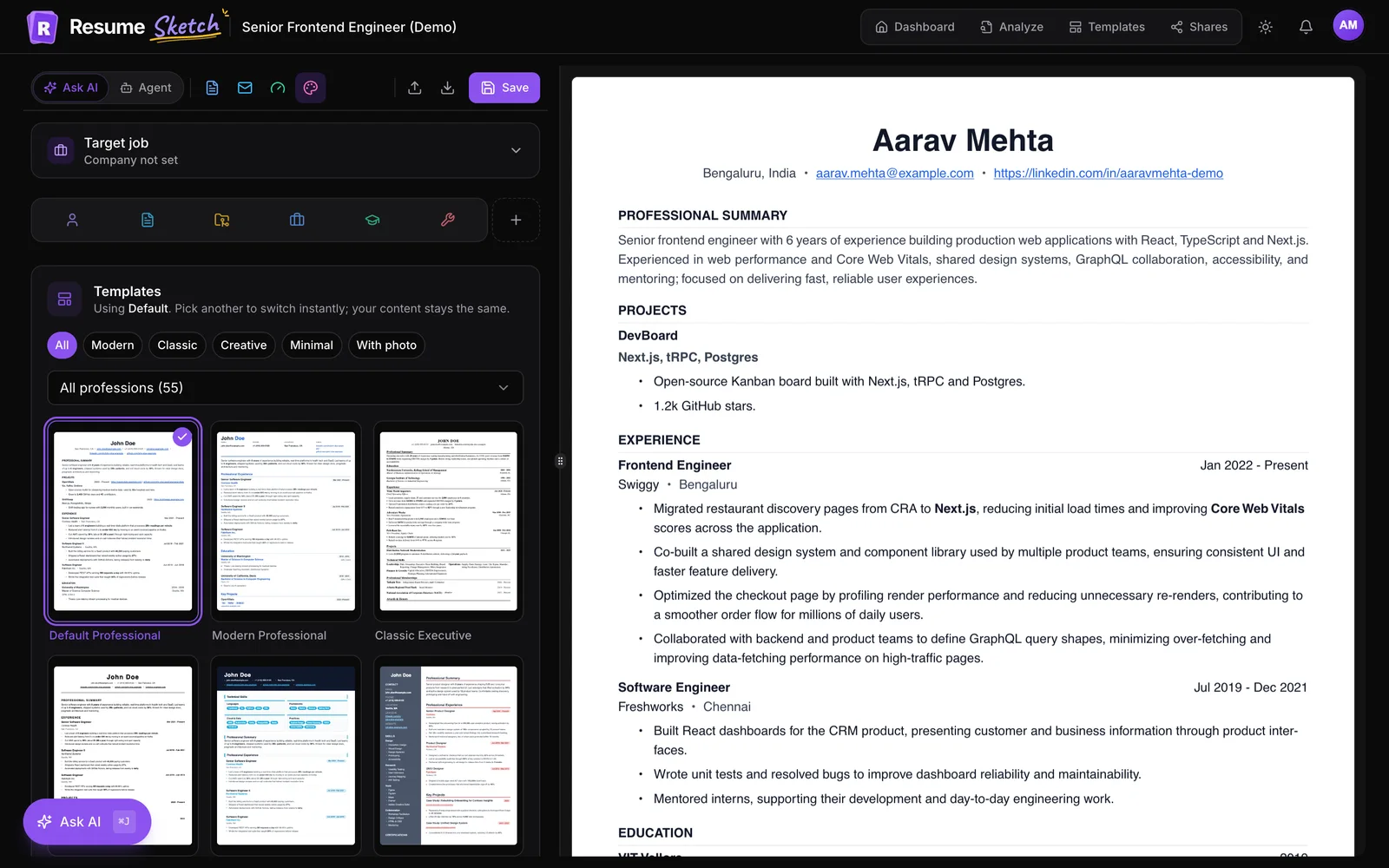
Pick the template
Open the templates panel in the editor and choose Software Engineer, or filter by profession to see other tech layouts.
- 3
Add the target job
Paste the job description into the Target job card so AI suggestions use that role's language and requirements.
- 4
Strengthen your bullets with Ask AI
Open Ask AI (⌘J or Ctrl+J) and try “Find my weakest bullet points and improve them”, or ask what the job asks for that your resume doesn't show. Edits arrive as previews you accept or reject. See the Ask AI guide for more.
- 5
Check it, then download
Run the PDF through the ATS analyzer to see how it parses, fix anything it flags, and download the PDF.
Frequently asked questions
Should a software engineer resume be one page?
For new grads and engineers with a few years of experience, yes. Senior and staff engineers can use two pages if the second page contains relevant, recent work. Older roles can be condensed to a line or two.
Do I need a summary on a software engineer resume?
Not always. If your recent title and stack clearly match the job, a summary adds little. It helps when you are changing specialism, targeting a senior or lead role, or coming from a non-traditional background.
How many projects should I include?
Two to four is a good range for new grads. Choose projects that are relevant to the role, have working links, and show something real: users, a hard technical problem, or a clean, well-documented codebase. Experienced engineers often include one or two, or none.
What if I don't have metrics for my work?
Use scope and adoption instead: how many users, teams or services relied on it, what you owned end to end, and what changed afterwards. Check old dashboards, pull requests and incident reports for numbers, but never invent them.
Should I list every technology I have used?
No. List the technologies relevant to the role and the ones you can discuss confidently, grouped into a few categories. A focused list that is backed up by your experience bullets is more convincing than a long one.
Is a LaTeX-style template ATS-friendly?
A simple single-column layout with standard headings, like the Software Engineer template in Resume Sketch, is generally easy for applicant tracking systems to read. You can check how any PDF parses with the ATS analyzer before you apply.