The short answer
To write a resume with AI that does not sound generic, give the AI your real facts first (projects, numbers, tools, outcomes), ask for specific rewrites rather than a whole resume, and check every number it touches. Then tailor a version to each job description and run it through an ATS analyzer before you apply.
On this page
- 01The short answer
- 02Why so many AI resumes sound the same
- 03Step 1: Start from real facts, not a blank prompt
- 04Step 2: Use prompt patterns that force specificity
- 05Before and after: what good AI editing looks like
- 06Step 3: Verify every number and claim
- 07Step 4: Tailor a version for each job
- 08Step 5: Run an ATS check before you apply
- 09Putting it together
- 10FAQ
01Why so many AI resumes sound the same
Ask any AI to write me a resume for a marketing manager and you will get something fluent, confident and almost useless. It is built from the average of every marketing resume the model has seen, so it says what everyone says: results-driven, cross-functional collaboration, drove growth.
Recruiters read dozens of these a day. What makes yours stand out is the detail only you have: which campaign, which audience, what changed, by how much. AI is excellent at shaping that detail into clean sentences. It cannot invent it for you, and when it tries, it either goes vague or makes things up.
So the workflow below treats AI as an editor, not an author. You supply the facts. It supplies structure, wording and speed.
02Step 1: Start from real facts, not a blank prompt
Before you open any AI tool, spend twenty minutes writing a rough fact sheet for each role. It does not need to be well written. It needs to be true and specific.
- What you owned: products, accounts, budgets, teams, systems.
- What you did: the actions, in plain words. Rebuilt the onboarding emails beats optimised the customer journey.
- Tools and methods: the software, languages, frameworks and processes you actually used.
- Results: anything you can count. Time saved, revenue, error rates, tickets closed, people trained, customers kept.
- Context: team size, company stage, scale. A two-person team and a 200-person team are different stories.
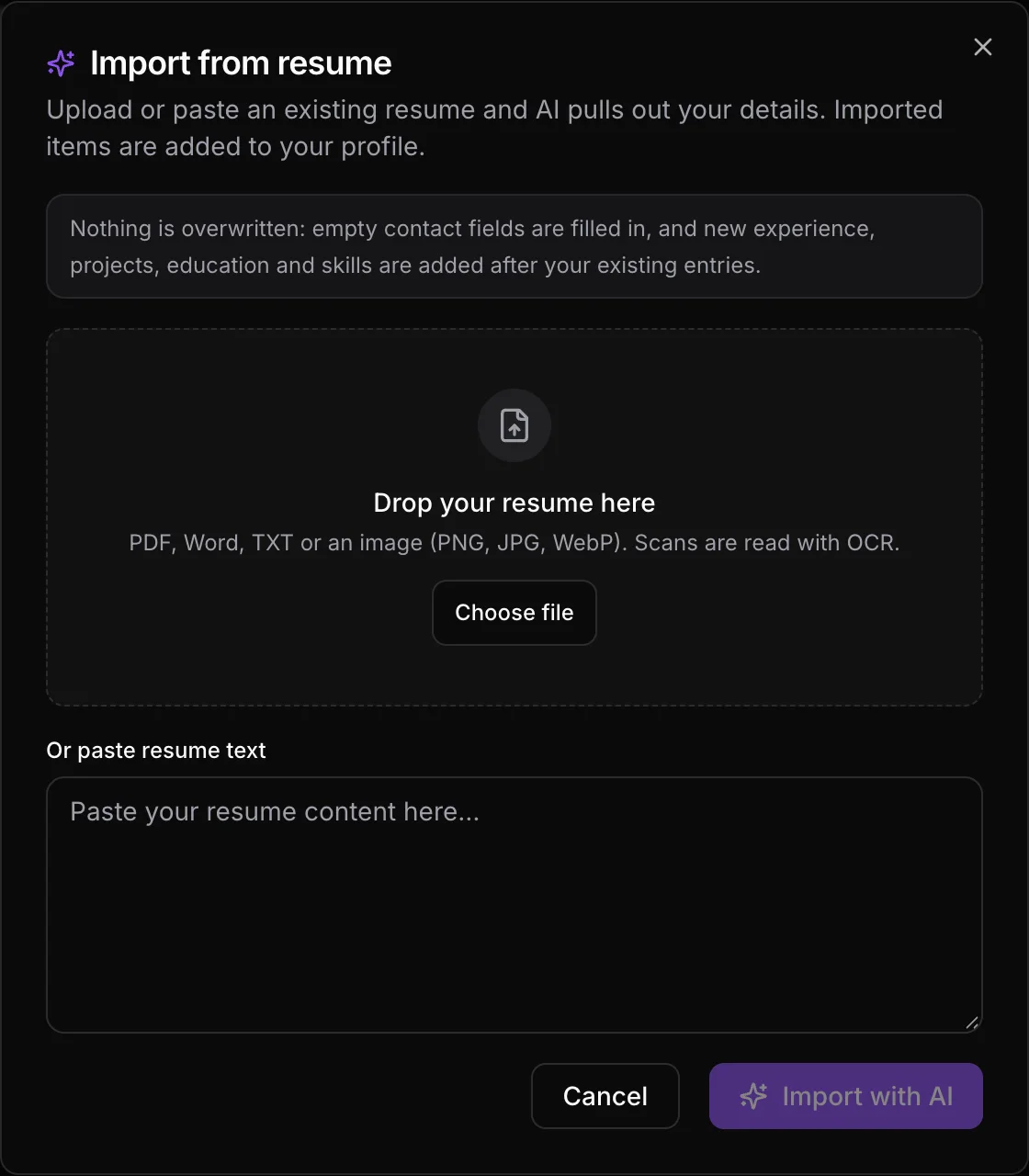
In Resume Sketch, this fact sheet lives in your profile. You can import an old resume and let the AI parse it into your profile, then fill the gaps. Every new resume you create can start from that profile, so you only do this work once.
03Step 2: Use prompt patterns that force specificity
Good prompts are narrow. Ask for one section or one bullet at a time, give the AI your facts, and tell it what to avoid. These patterns work in any AI tool, including the Ask AI chat in the Resume Sketch editor.
The rewrite pattern
Rewrite this bullet so it starts with a strong verb, keeps every fact, and shows the result. Do not add numbers I did not give you. Bullet: [your rough bullet]. Facts: [your notes].
The interview pattern
Here is my bullet. Ask me three questions that would help you make it more specific. Then rewrite it using only my answers.
This is the single best fix for generic output. The AI pulls the detail out of you instead of guessing it.
The recruiter-critique pattern
Critique my resume like a recruiter hiring for [role]. List the five weakest bullets and say why each is weak. Do not rewrite yet.
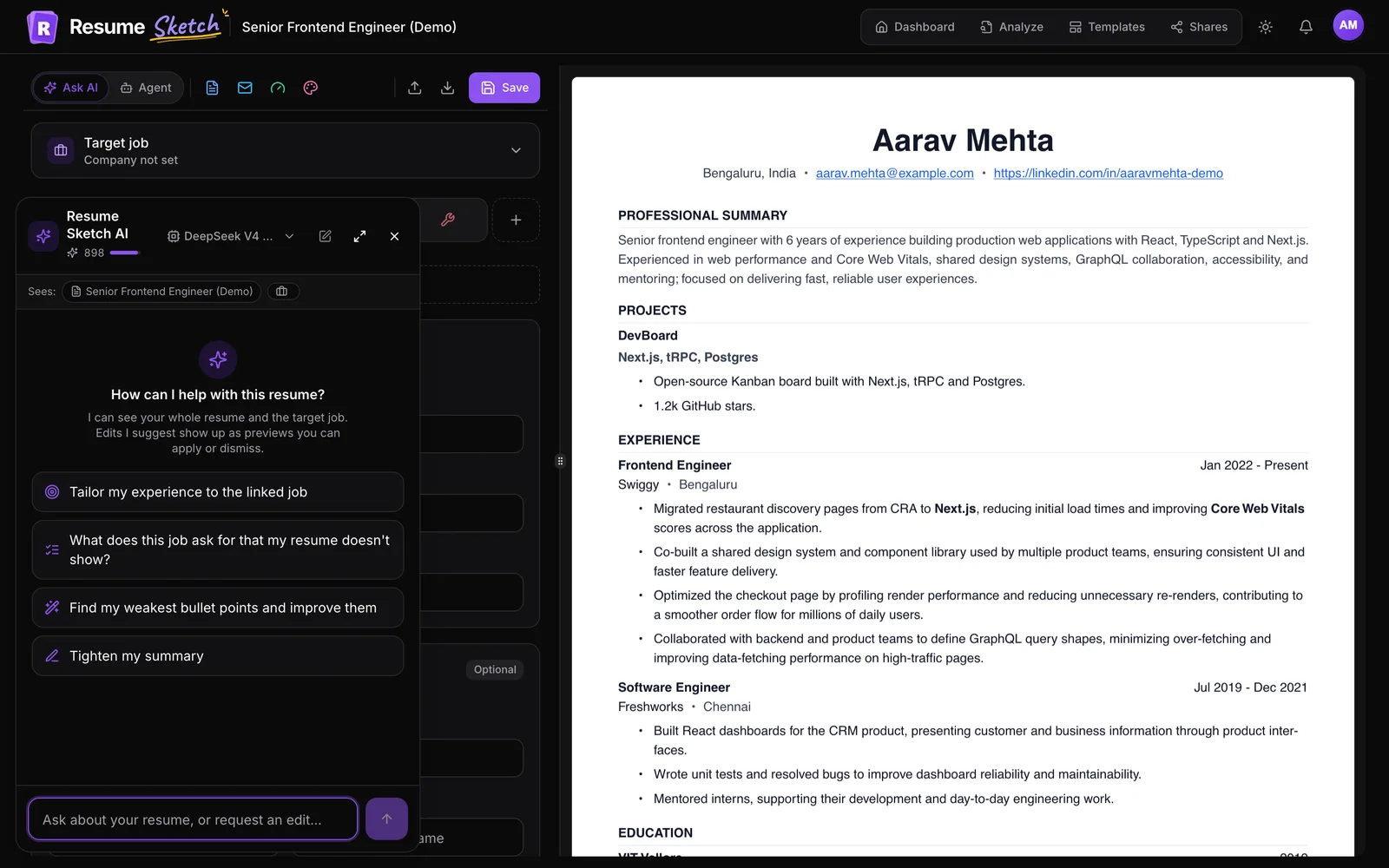
Separating the critique from the rewrite gives you control. You decide which problems are real before anything changes. The Resume Sketch assistant offers starters like Find my weakest bullet points and improve them and Critique my resume like a recruiter would for exactly this.
The summary pattern
Write a three-sentence summary for [target role]. Use my years of experience, my two strongest results, and the tools the job asks for. No adjectives like passionate, dynamic or results-driven.
For more on summaries, see resume summary examples that win interviews.
04Before and after: what good AI editing looks like
Here are rough bullets alongside versions produced with the rewrite and interview patterns. Notice that the improved versions are not longer for the sake of it. They are more concrete.
Before (generic)
- Responsible for managing social media accounts
- Helped improve the checkout process
- Worked on customer support tickets
- Led a team of developers on various projects
After (specific)
- Ran Instagram and LinkedIn for 3 product lines, growing combined followers from 8k to 21k in 12 months
- Redesigned the mobile checkout with the product team, cutting abandoned carts by 18% in the first quarter
- Resolved 40+ billing tickets a week and wrote 12 help articles that reduced repeat questions
- Led 5 engineers to ship a new reporting module used by 300 enterprise customers
Every number on the right came from the candidate, not the AI. That is the point. Now compare two ways the same AI request can go wrong.
AI output to reject
- Spearheaded transformative cross-functional initiatives that drove significant growth
- Increased revenue by 35% (no such figure in your notes)
- Expert in Python, Go, Rust, Kubernetes and Terraform (you listed two of these)
AI output to keep
- Coordinated launch plans across sales, support and design for 4 releases
- Contributed to a pricing change that lifted average order value (number to confirm)
- Built internal tools in Python and Go, deployed on Kubernetes
05Step 3: Verify every number and claim
- Check every number against your notes, a performance review or a report you can point to.
- Remove any tool or skill you could not discuss for five minutes.
- Keep job titles, dates and employer names exactly as they were.
- If a figure is an estimate, phrase it honestly: about, roughly, or use scope instead.
Resume Sketch helps here by showing AI edits as previews you apply or dismiss, rather than silently changing your resume. In agent mode (Pro and Max), the AI edits directly but highlights each change on the page so you can accept or reject it.
06Step 4: Tailor a version for each job
One resume sent everywhere is the most common reason good candidates get filtered out. Tailoring does not mean rewriting everything. It means reordering, re-emphasising and using the employer's language for skills you genuinely have.
- 1
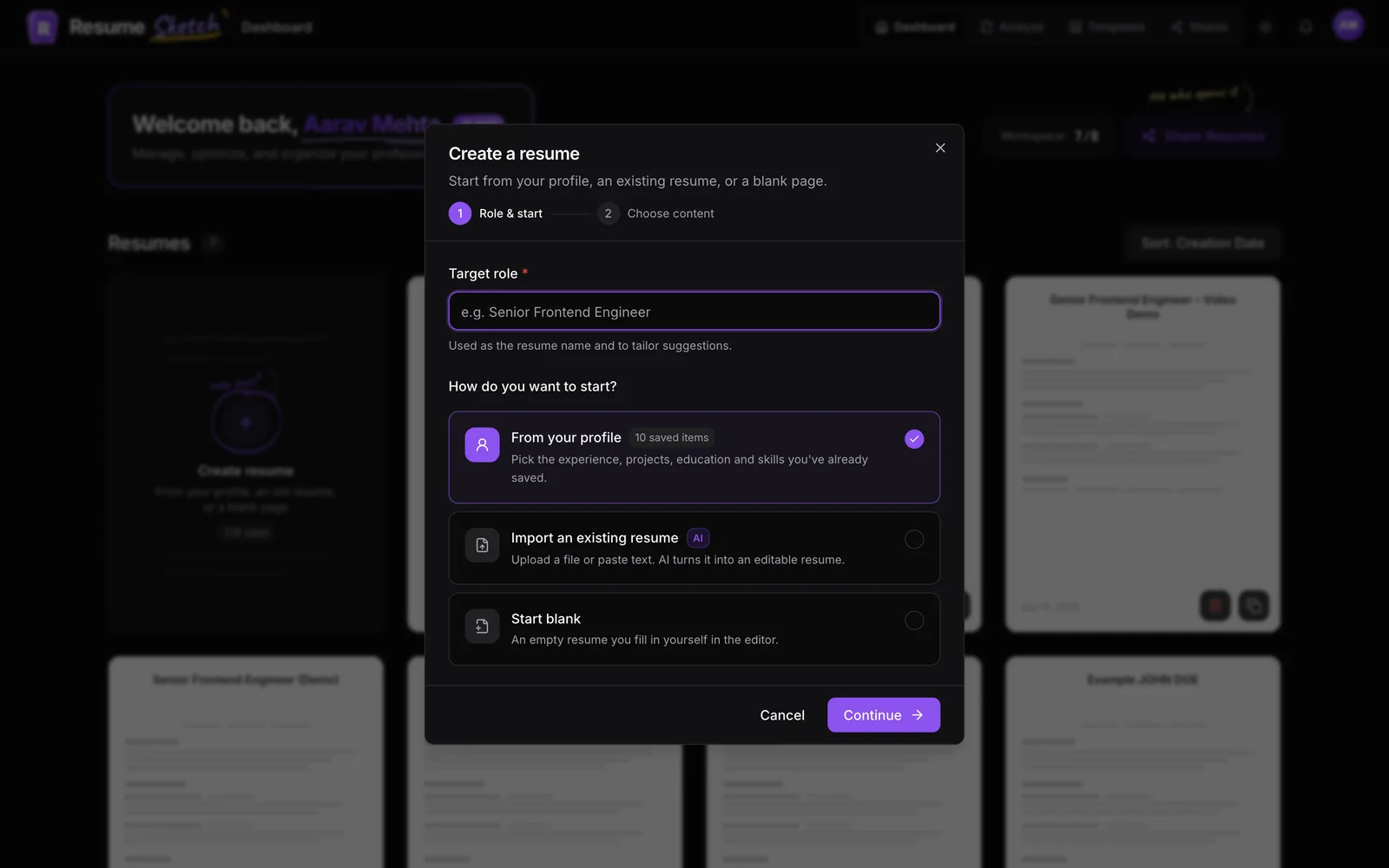
Create a resume for the role
From the dashboard, create a new resume from your profile so you start with all your facts.
- 2
Add the target job
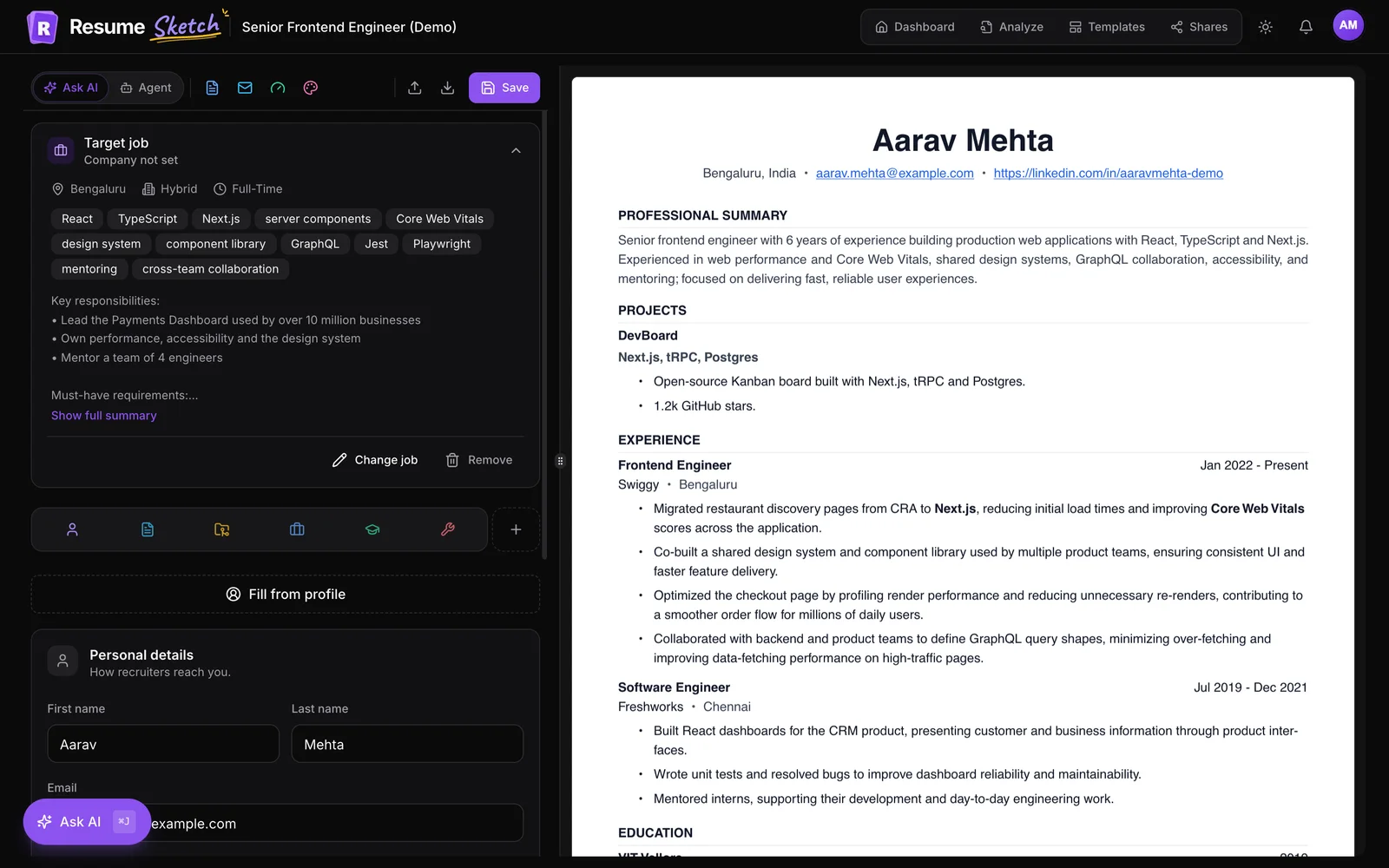
Paste the job description into the target job card at the top of the editor. AI features then tailor to that role.
- 3
Ask what is missing
Ask the assistant What does this job ask for that my resume doesn't show? Add the gaps you can honestly fill from your profile, and leave the rest.
- 4
Tailor the experience section
Ask it to tailor your experience to the job, review each suggested change, and move the most relevant bullets to the top of each role.
For a deeper walkthrough, read how to tailor your resume to a job description and resume keywords that get you hired.
07Step 5: Run an ATS check before you apply
Strong writing does not help if software cannot read the file. Before you send anything, check how it parses. The free Resume Sketch ATS analyzer takes about 30 to 60 seconds and gives you an overall score out of 100, a view of how an ATS reads your resume, and a prioritised list of improvements. It works without an account.
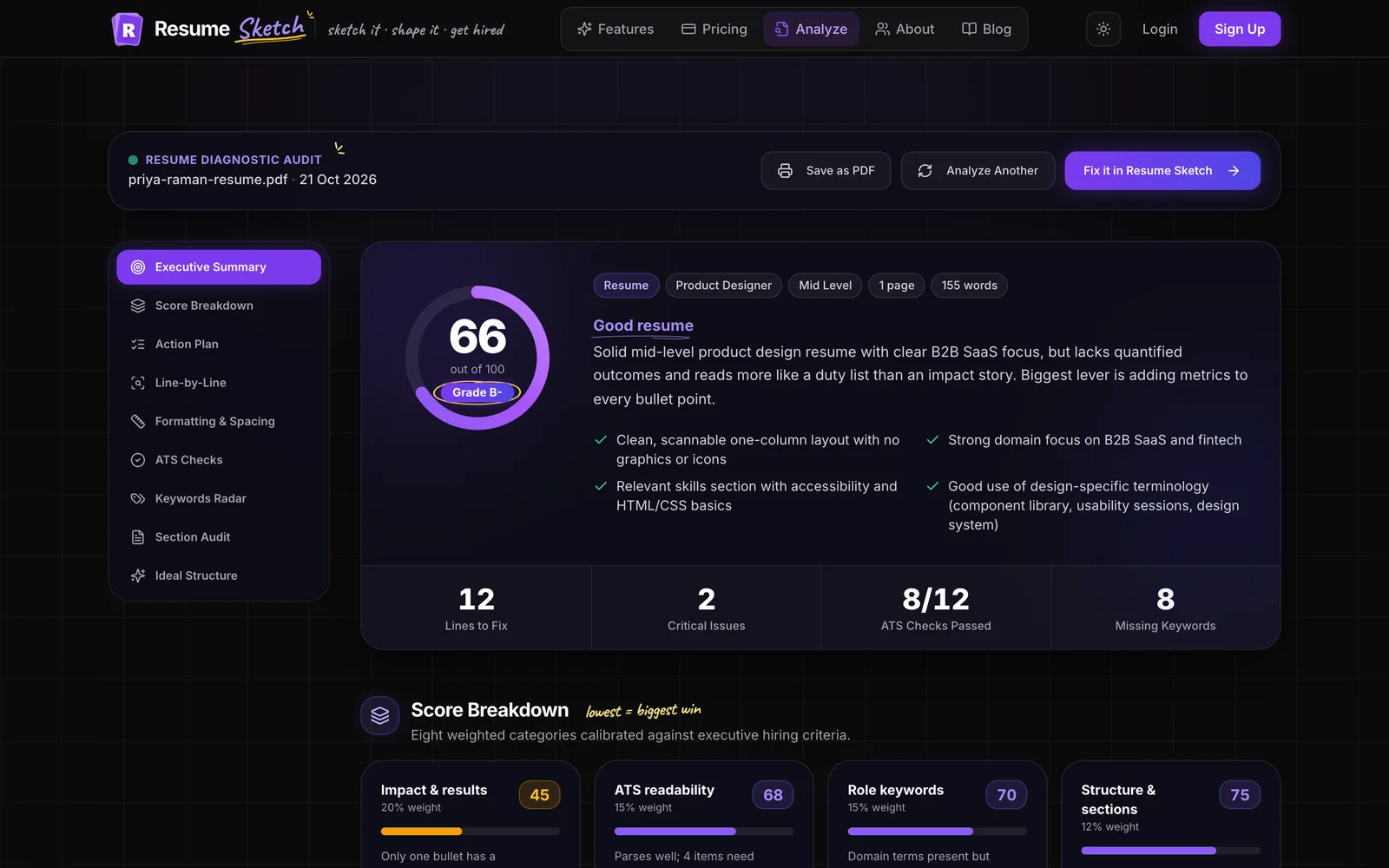
- Fix parse problems first: missing contact details, merged sections, unreadable dates.
- Then address completeness and impact suggestions.
- Re-run after big changes. Small wording edits rarely need a re-check.
Inside the editor, the Score panel gives a recruiter-style review of the resume you are working on, including role match when a target job is set.
08Putting it together
The whole workflow fits in under an hour for your first resume, and around fifteen minutes for each tailored version after that: facts in your profile, narrow prompts, careful review, a target job per application, and an ATS check before you hit send.
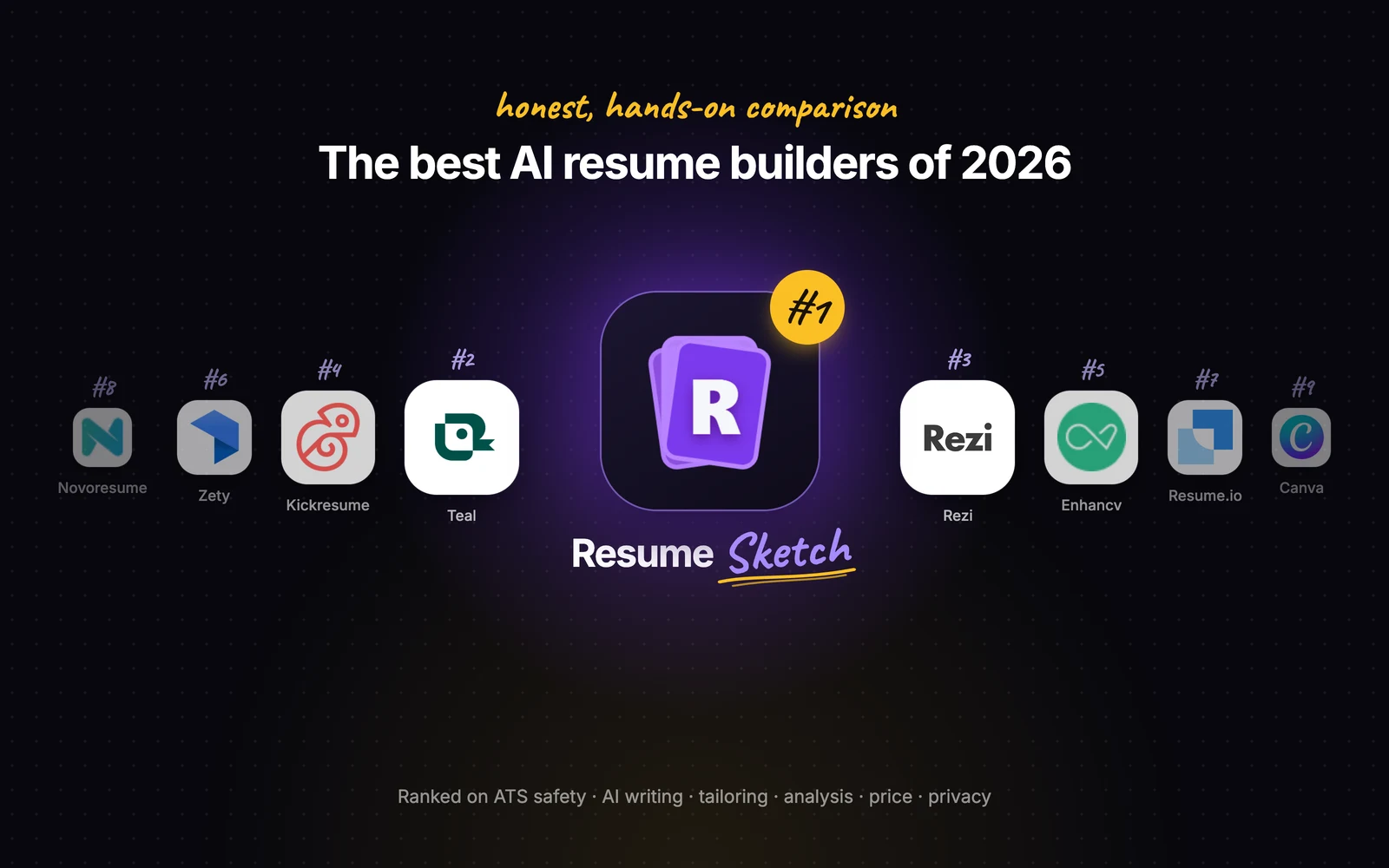
If you are deciding which tool to do this in, our honest comparison of AI resume builders covers the options.
Frequently asked questions
Is it okay to use AI to write my resume?
Yes, as long as the content is true and you review it. Employers care about whether your resume is accurate and clear, not which tool helped you write it. Use AI to improve wording and structure, not to invent experience.
How do I stop AI from making my resume sound generic?
Give it specific facts first, ask for one section at a time, and ban filler words in your prompt. The interview pattern, where the AI asks you questions before rewriting, is the most reliable fix.
Should I let AI add numbers to my bullets?
No. Only use numbers you can verify. If the AI suggests a metric, treat it as a prompt to find the real figure, or rephrase with scope instead.
Do I need a different resume for every job?
You need a tailored version, not a new resume. Start from the same profile, add the job description as a target job, and adjust emphasis and keywords. It usually takes minutes once your profile is complete.
How do I know if my AI-written resume will pass an ATS?
Upload the exported file to an ATS analyzer and check how it parses. The Resume Sketch analyzer is free, works without an account and shows a score, a parse view and specific fixes.