The short answer
Every AI action in Resume Sketch uses credits based on how much the model reads and writes. Free includes 250 credits a month, Pro ($10/month) 1,000 plus agent mode, every model and Gmail sending, and Max ($30/month) 3,000 + 1,000 extra. Credits refill each month on the day your plan started and don't roll over; your own API key uses no credits, and inviting a friend who starts Pro or Max gives you both a one-month bonus.
01How AI credits work
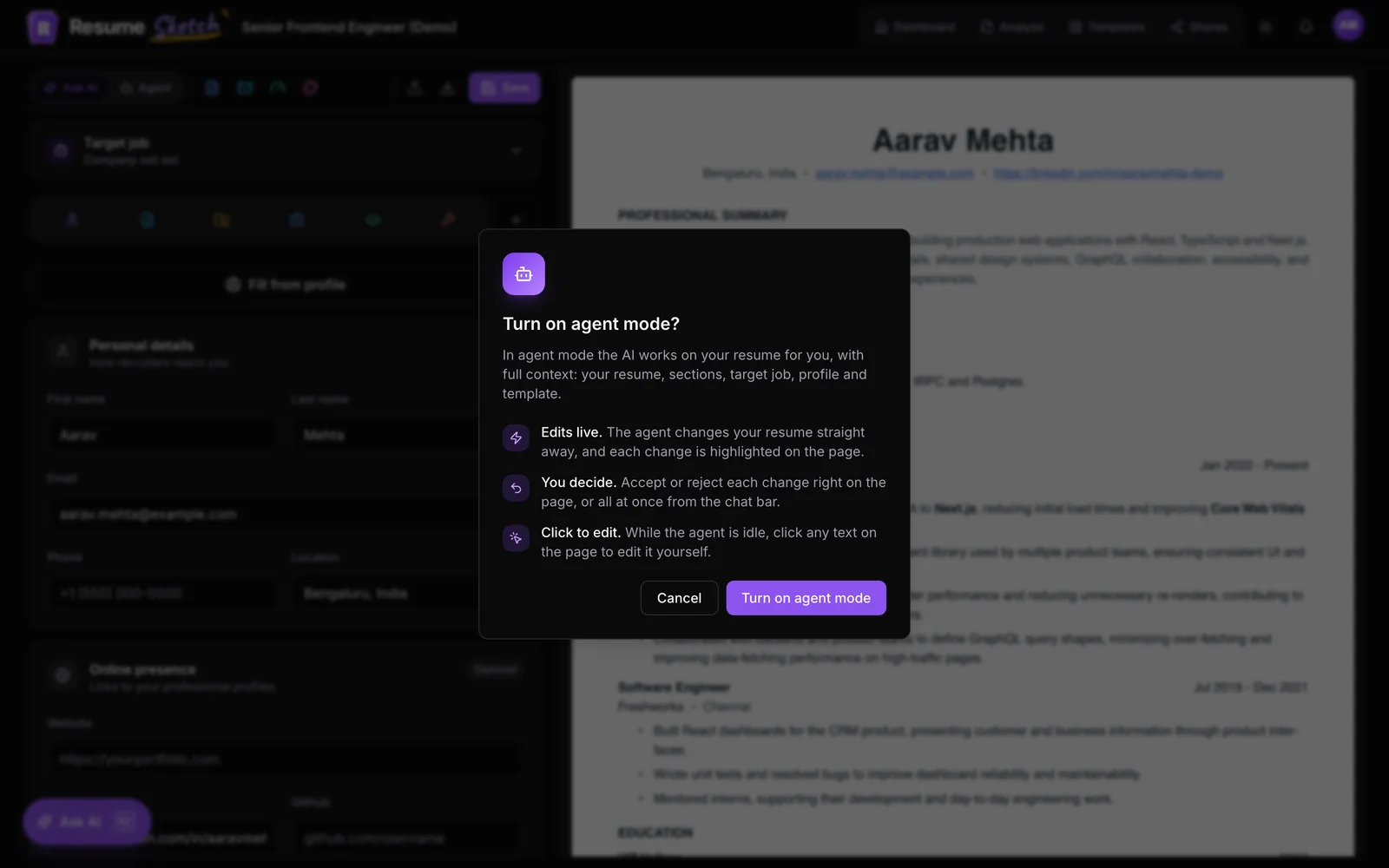
Credits are how Resume Sketch measures AI use. Each AI request, whether it is rewriting a bullet in Ask AI, writing a cover letter, tailoring to a job or running agent mode, costs credits based on how much the model reads and writes. Small requests are cheap: a quick edit uses a fraction of a credit. Large ones, like a full resume rewrite in agent mode with a long job description, use more.
That is fairer than a flat "10 AI actions a month" limit. You aren't penalised for lots of small, careful edits, which is exactly how a good resume gets written.
- What uses credits: AI features inside Resume Sketch, such as Ask AI, agent mode, cover letters, cold emails, reading a job posting and AI scoring.
- What doesn't: editing by hand, changing templates, downloading PDFs, share links, and working through ChatGPT or Claude (their AI does the writing).
- Requests on your own API key don't use credits either (more on that below).
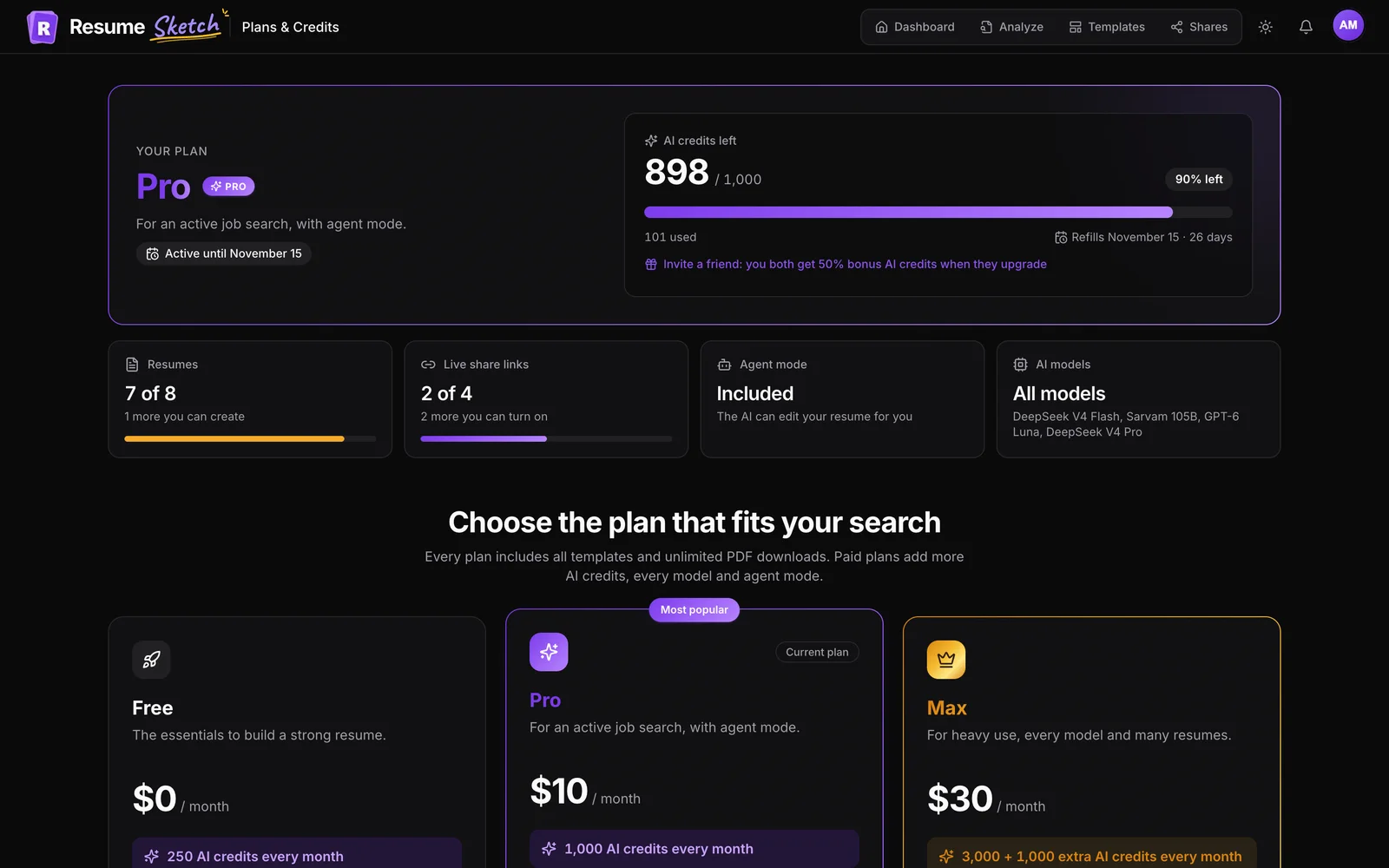
You can always see your balance on Plans & credits (in your account menu): credits left out of your total, the percentage remaining, the date they refill and how many days that is away.
02Free, Pro and Max compared
| Free | Pro | Max | |
|---|---|---|---|
| Price | $0 | $10 / month | $30 / month |
| AI credits each month | 250 | 1,000 | 3,000 + 1,000 extra |
| AI models | Sarvam 105B | GPT-6 Luna, DeepSeek V4 Pro and Flash, Sarvam 105B | Everything in Pro, plus Grok 4.7 (Max only) |
| Agent mode | No | Yes | Yes |
| Send cold emails from Gmail | No | Yes | Yes |
| Resumes | 2 | 8 | 20 |
| Live share links | 1 | 4 | 20 |
| Templates and PDF downloads | All templates, unlimited downloads | All templates, unlimited downloads | All templates, unlimited downloads |
Which plan is right for you?
- Free suits building one or two strong resumes, polishing them with Ask AI and running ATS checks. Every template and unlimited PDF downloads are included, so nothing is held back at the finish line.
- Pro is built for an active search: a tailored resume for each application, agent mode to apply multi-step edits for you, GPT-6 Luna and DeepSeek V4 Pro, and cold emails sent from your Gmail.
- Max is for heavy use: many tailored versions, lots of agent mode, Grok 4.7 (only on Max), and up to 20 resumes and 20 live share links. It fits if you are applying across several fields at once or keep a separate version for every role.
The usage tiles on Plans & credits show where you stand on Resumes, Live share links, Agent mode and AI models, which makes it easy to tell whether you are actually bumping into a limit. For full current pricing, see the pricing page.
03Your billing cycle and when credits refill
Plans run month to month from the day they start, not from the first of the month. Start Pro on the 8th and your credits refill on the 8th of every month after that. Free accounts follow the same rule, counted from when the account's cycle began.
- Credits refill to your plan's full monthly amount on your cycle day.
- Unused credits don't roll over. Whatever is left at the end of a cycle expires.
- Short months are handled. A cycle that started on the 31st refills on the last day of shorter months (the 30th in November, the 28th in a normal February), then goes back to the 31st.
04Bonus credits and how long they last
Bonus credits come from the referral program. They are added on top of your plan's credits and shown separately on Plans & credits, for example 320 of 500 bonus left · valid until a date.
- Each bonus is valid for one month from the day you get it, whatever day your plan refills. Then it expires.
- Whatever expires first is used first. If your bonus runs out before your plan refills, the bonus is spent first so you don't lose it.
- Bonuses stack. Each friend who upgrades adds a new bonus with its own one-month window.
05Use your own API key (no credits)
If you already pay for an AI provider, you can connect it and Resume Sketch will send requests on your key instead. Those requests don't use credits; you pay your provider directly. Plan model limits don't apply to requests on your own key either.
- 1
Open AI settings
Choose AI settings from your account menu, or go to Profile → AI settings.
- 2
Pick a provider
Under Providers, find OpenAI, Anthropic, xAI, DeepSeek or Groq. (Azure AI Foundry and Sarvam are built in and work without a key.)
- 3
Paste, test and save
Paste your key, choose a model under Model to test and click Test to check it works. Then click Save key.
- 4
Choose your default model
Under Default model, pick the model to use for AI actions. Models marked needs key require your own key for that provider.
06Earn bonus credits by inviting friends
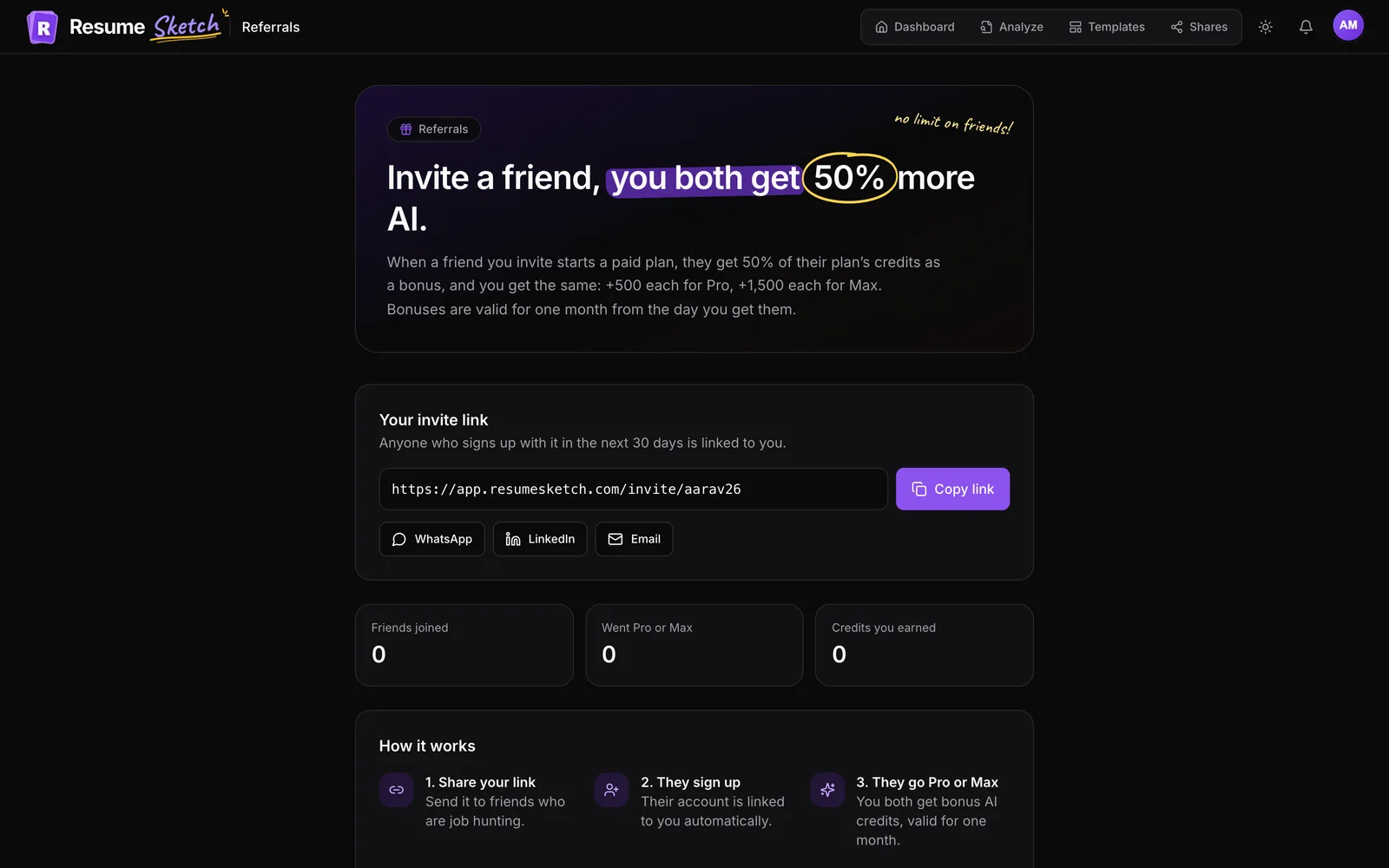
Every account has a personal invite link, including Free. When a friend signs up through it and later starts Pro or Max, you both get bonus credits worth 50% of that plan's base monthly credits.
| Your friend starts | They get | You get |
|---|---|---|
| Pro | +500 credits | +500 credits |
| Max | +1,500 credits | +1,500 credits |
- 1
Open Invite friends
Choose Invite friends from your account menu, or use the invite link on Plans & credits.
- 2
Copy your link
Under Your invite link, click Copy link, or use the WhatsApp, LinkedIn and Email buttons to share it directly.
- 3
Your friend signs up
When they create an account from your link, it is linked to you automatically. There is no code to type.
- 4
They go Pro or Max
When their first paid plan starts, the bonus is added for both of you, valid for one month.
- 5
Track your invites
The page shows Friends joined, Went Pro or Max and Credits you earned, plus a list of your friends and their status.
- Once per friend, on their first paid plan. If they move from Pro to Max later, you both get the difference.
- New accounts only. The invite has to be used when the account is created; it can't be added afterwards.
- No self-referrals. You can't invite yourself or a second account of your own.
- No limit on friends. Every friend who upgrades earns you a new bonus.
The full rules are on the invite page.
07Common mistakes to avoid
- Saving credits for later. They don't roll over, so use them while you are actively applying.
- Using the biggest model for everything. Quick rewrites work well on fast models and use fewer credits. Save heavier models for complex tailoring.
- Forgetting the bonus expiry. Check the valid until date on Plans & credits and spend the bonus before it lapses.
- Expecting your API key on a new device. Keys live in one browser. Add it again on each device you use.
- Sending a sign-up link that isn't yours. A friend who signs up from the regular homepage can't be linked to you later. Share your invite link.
Frequently asked questions
How many credits does one AI action use?
It depends on how much the model reads and writes. A quick bullet rewrite uses a fraction of a credit; a long agent mode session with a full job description uses more. Your balance on Plans & credits updates as you go.
When do my credits refill?
On the same day each month that your plan started. Started on the 8th, refills on the 8th. Unused credits don't roll over to the next cycle.
Do PDF downloads or templates cost credits?
No. Every plan, including Free, has all templates and unlimited PDF downloads. Credits are only for AI features.
Is my own API key stored on Resume Sketch's servers?
No. Keys stay in your browser's local storage on that device only. Requests made with your key don't use Resume Sketch credits.
Do I need a paid plan to invite friends?
No. Every account, including Free, has an invite link. You earn the bonus when a friend you invited starts Pro or Max.
How long do referral bonus credits last?
One month from the day they are granted, regardless of your plan's refill day. Bonus credits are used first when they would expire before your plan refills.