The short answer
Open a resume in the Resume Sketch editor, add the job you are applying for, then click Cover letter, pick a tone and length and press Write cover letter. The AI writes the body from your resume and the posting only, Resume Sketch adds the date, greeting, sign-off and your contact details, and you edit the result directly in the preview before downloading it as a PDF.
On this page
01What the cover letter tool does (and what it won't do)
Every resume in Resume Sketch can carry one cover letter. The AI writes it from two sources: the resume you have open and the target job you attach to it. It does not search the web for the company and it does not make up a personal connection. If the posting does not mention the company's mission or a product launch, your letter won't either.
That restraint is deliberate. The most common way AI cover letters go wrong is confident detail that isn't true: a project you never ran, a referral you don't have, a sudden passion for the company's "current initiatives". The panel says it plainly under the heading: the letter is written from your resume, and nothing is invented.
The AI writes only the body paragraphs. Resume Sketch then frames them with the parts that must be exact: today's date, the company name and location from the job, a greeting ("Dear Hiring Manager," unless you give a name), the sign-off, your name and your contact details from the resume. No square-bracket placeholders end up in the letter.
02Before you start: add the target job
A cover letter without a job is just a summary of your resume, so the panel asks for the job first. If the resume has no target job yet, you will see No target job yet and an Add target job button right inside the Cover letter panel.
- 1
Open the job dialog
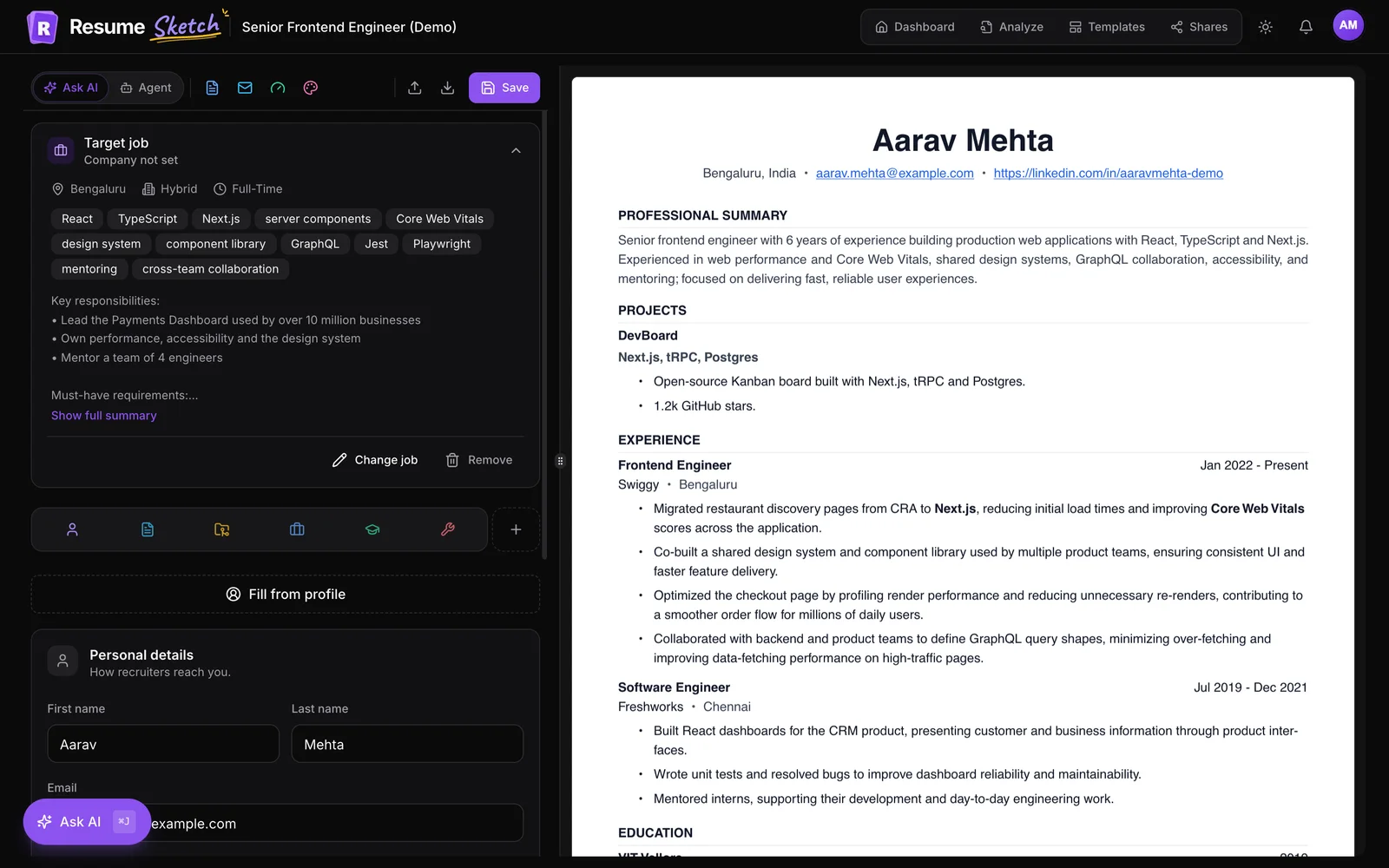
Click Add target job. You can also add it from the Target job card at the top of the editor, which says Add one to tailor AI suggestions when it is empty.
- 2
Paste the full posting
Paste the whole job description, including the responsibilities and requirements. The more of the posting the AI can read, the better it can match your experience to what the employer asked for.
- 3
Let AI read it
Click Read with AI. It pulls out the title, company and key requirements. Prefer to type them? Use Enter details myself.
- 4
Check and save
Correct anything it got wrong (company names in postings are often abbreviated), then click Save target job. Every AI feature in this resume now tailors to that role.
For a deeper walkthrough of target jobs, including how they shape your bullets and summary, see how to tailor your resume to a job description.
03Write your cover letter, step by step
- 1
Open the Cover letter panel
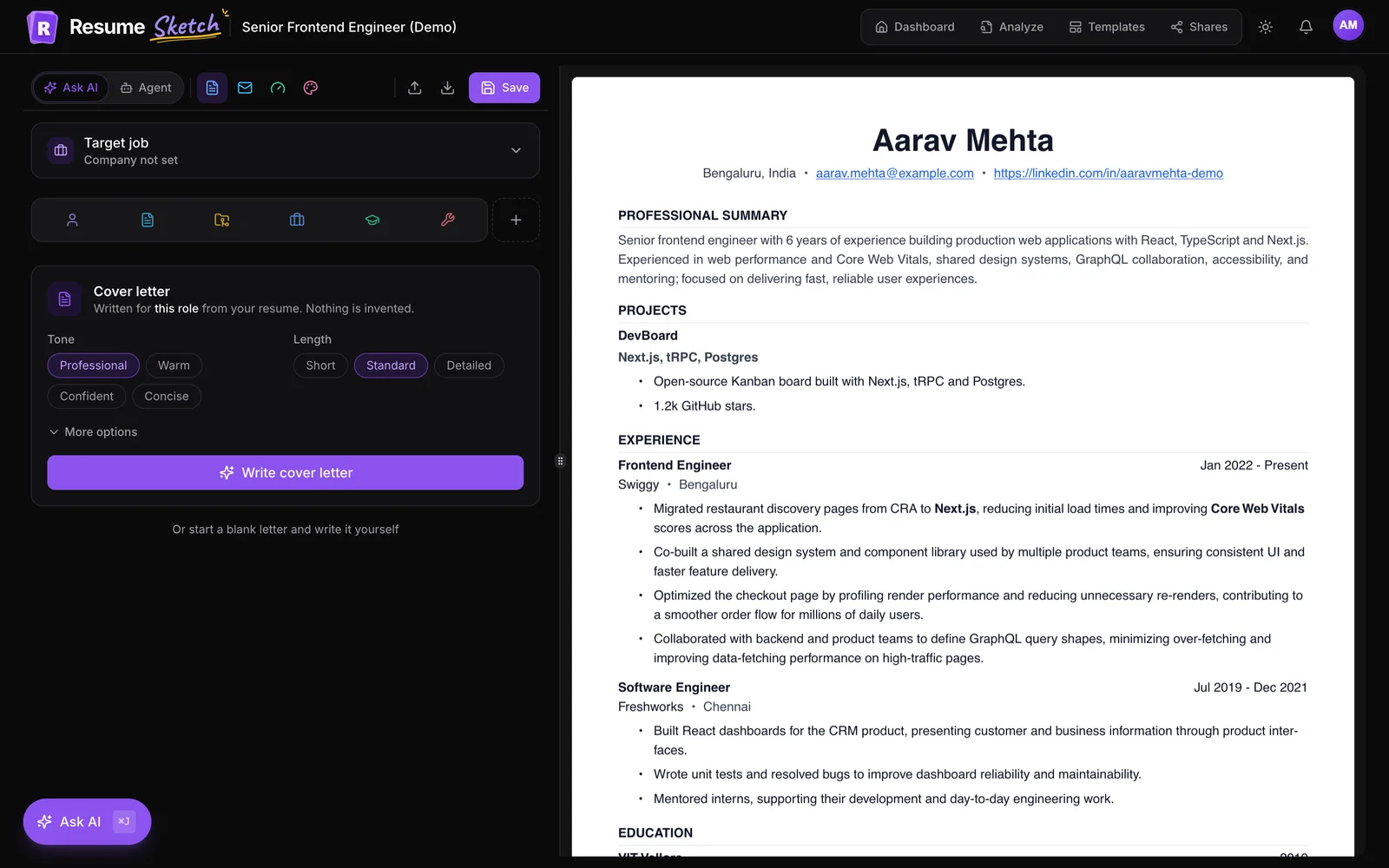
In the editor toolbar, click Cover letter (on a narrow window it shows as a document icon). The panel opens on the left, with the role and company you are writing for under the heading.
- 2
Pick a tone
Choose Professional, Warm, Confident or Concise. Professional is polished and measured. Warm shows genuine interest in the work and the people it serves. Confident leads with your strengths without hedging. Concise keeps sentences short and skips the throat-clearing.
- 3
Pick a length
Choose Short, Standard or Detailed (see the table below). Standard suits most applications.
- 4
Add details under More options (optional)
Open More options to add the Hiring manager's name and a short note of extra instructions, for example Mention I'm relocating to Austin in June or Focus on my ICU rotation. Use this for facts that are true but not on your resume.
- 5
Generate the draft
Click Write cover letter. The letter streams in as it is written, and you can press Stop at any point if it is heading the wrong way.
- 6
Review, then keep or retry
When the draft is ready you will see its word count. Click Use this letter to add it to the resume, Try again for a fresh version with the same settings, or Discard to throw it away.
| Length | Approximate body length | Best for |
|---|---|---|
| Short | 150 to 220 words | Online forms with a small text box, internal moves, roles where the resume does the talking |
| Standard | 250 to 330 words | Most applications: room for two or three strong examples |
| Detailed | 350 to 420 words | Senior roles, career changes, or postings that ask for a full letter |
04The structure of a strong cover letter
Whether you use AI or not, the letters that get read follow the same shape. Resume Sketch's AI is asked to write to it, and it is the right yardstick when you edit the draft.
- Opening (2 to 3 sentences). Name the exact role, give one specific reason you fit it, and show interest grounded in what the posting actually says.
- Evidence (1 to 2 paragraphs). Two or three concrete examples from your experience, each tied to one of the job's most important requirements. Name the employer or project each example comes from.
- Close (2 to 3 sentences). Restate the fit in one line, invite a conversation and thank the reader. No grovelling.
Weak opening
- I am writing to express my interest in the Operations Analyst position at your company.
- I believe I would be a great fit because I am passionate, hard-working and a team player.
Strong opening
- The Operations Analyst role at Northwind asks for someone who can turn messy fulfilment data into decisions.
- That is most of what I have done at Brightline Logistics for three years, where my weekly carrier report cut late deliveries by a fifth.
Notice what the strong version does: it uses the posting's own language, it names a real employer, and it puts a result where the weak version puts adjectives. It also avoids the stock phrases ("I am writing to express my interest", "passionate", "dynamic") that the AI is told to skip and that hiring managers skim past.
A cover letter is not a second resume. It is the argument for why the resume matters to this particular job.
05Edit the draft so it sounds like you
Once you click Use this letter, the panel shows Your cover letter is in the preview. The letter appears as its own page in the live preview on the right, and you edit it there like a document: click into any paragraph and type.
- Format text: select a word or sentence and a small toolbar appears with Bold, Italic, Underline, Strikethrough, alignment and heading options.
- Get a new version: back in the panel, change the tone or length and click Write a new version. The new draft only replaces your letter if you click Replace current letter, so your edits are safe until you decide.
- Undo an AI change: adding, replacing or removing a letter can be undone right after, so experimenting is low-risk.
- Remove it: use Remove in the panel, or the delete button that appears when you hover the letter page.
- Write it yourself: prefer a blank page? Under the panel, choose Or start a blank letter and write it yourself.
A practical editing pass takes five minutes. Read the letter out loud once. Replace any sentence you would never say. Check that every number matches your resume. Then make sure the first two lines would make sense to someone who reads nothing else.
Download and send
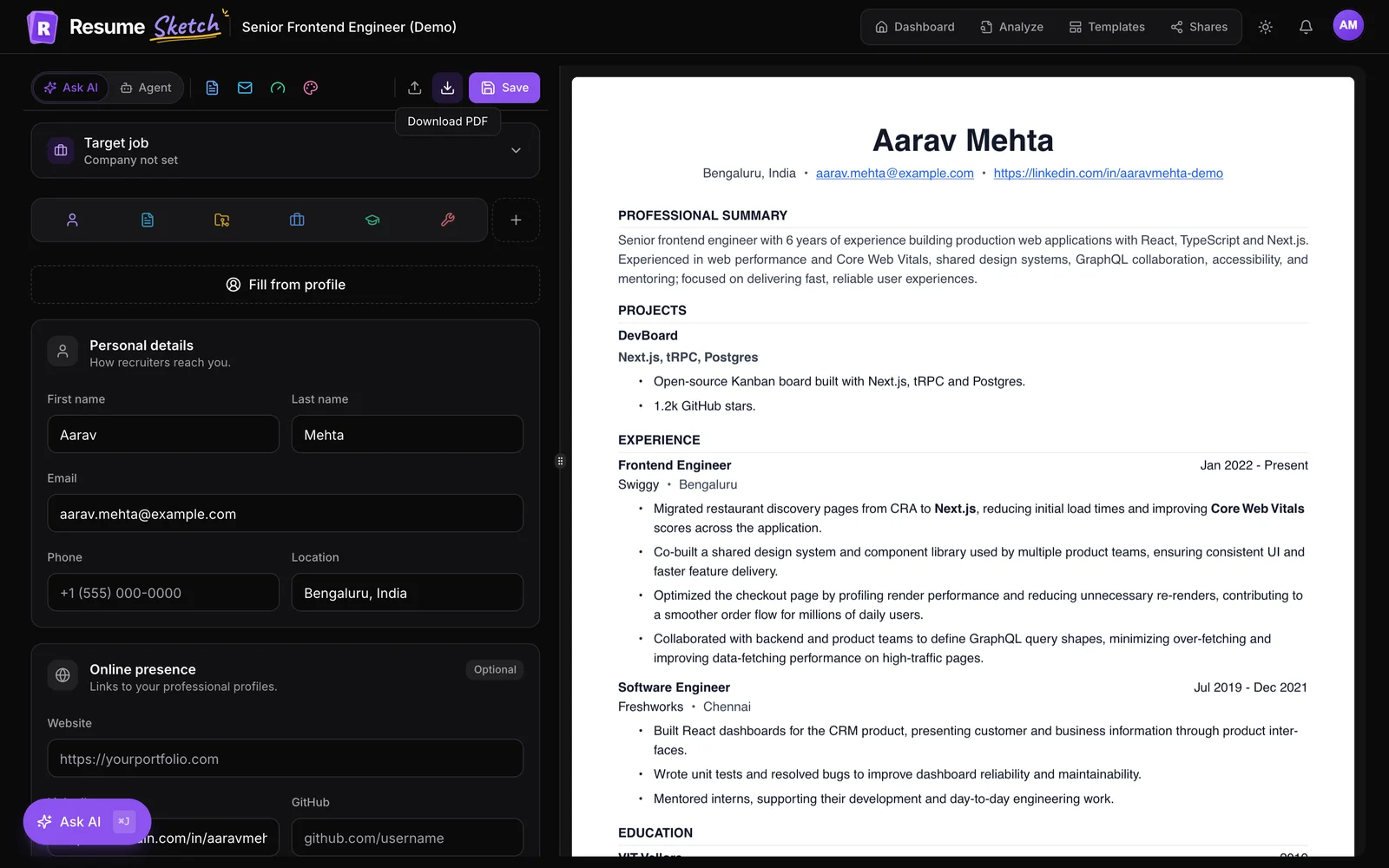
Click Save, then the download button in the editor toolbar. When a resume has a cover letter the button's tooltip reads Download resume + cover letter (PDF), and you get two files: your resume and a separate cover letter PDF named after you. That makes it easy to upload each one to the right field in an application form.
06Common mistakes to avoid
- Skipping the target job. Without it there is nothing to match against. Always paste the real posting, not a one-line title.
- Sending the first draft unread. The AI sticks to your facts, but only you know which example the hiring manager will care about most.
- Reusing one letter for every job. Duplicate the resume for each application so the letter, the target job and the tailored bullets stay in sync.
- A thin resume behind the letter. The letter can only be as specific as your resume. If your bullets lack results, fix those first with Ask AI.
- Forgetting the name. If you know the hiring manager's name, add it under More options. "Dear Dana Lee" reads better than "Dear Hiring Manager".
- Copy-pasting company flattery. If you add lines about the company yourself, make them specific and true. Generic praise undoes the work the rest of the letter does.
07Other ways to get a cover letter
The Cover letter panel is the most direct route, but not the only one. On Pro and Max, agent mode can write or replace the cover letter as part of a larger request, such as tailoring the whole resume to a new job and drafting the letter in the same pass. And if you have connected Resume Sketch to ChatGPT or Claude, you can ask your assistant to write the letter and it appears in the editor.
Want to reach the hiring manager directly as well? The Email panel next to Cover letter writes a short cold outreach email from the same resume and job. See the cold email guide.
Frequently asked questions
Does writing a cover letter use AI credits?
Yes. Like other AI features, each draft uses credits based on how much the model reads and writes, so a Detailed letter costs a little more than a Short one. If you have added your own API key in AI settings, requests on that key don't use Resume Sketch credits.
Will the AI make things up to sound impressive?
It is instructed to use only facts from your resume and the job posting, with no invented employers, numbers, referrals or company knowledge. Still read every draft: you are the final check on what you send.
Can I have different cover letters for different jobs?
Each resume holds one cover letter. For several applications, duplicate the resume from your dashboard and set a different target job on each copy, then write a letter for each one.
Can I edit the letter after the AI writes it?
Yes. The letter appears as a page in the live preview and you can type into it directly. Select text to get formatting options such as bold, italic and alignment.
Is the cover letter included when I share my resume link?
No. A share link shows the resume only. The cover letter is downloaded as its own PDF so you can attach it where an application asks for it.